Web Vitals

My recent work focuses on web performance, specifically Core Web Vitals. I’ve dedicated significant time to this topic and want to share my insights. Core Web Vitals are essential and should be considered from the beginning of web development. Addressing them later can be challenging and time-consuming.
Now, let’s dive into Core Web Vitals. What are they exactly? You might wonder why we need to focus on them. After all, isn’t a good-looking, functional website enough?
Core Web Vitals

Core Web Vitals are a set of metrics that apply to all web pages, which every website owner should use to check performance. These metrics are included in all Google tools. Each Core Web Vitals metric represents a different aspect, which is measured by real user experience or environment (in the field) with a performance metrics
These metrics are continuously evolving, and we often see criteria being added or changed. As of the writing date (22/08/2024), the set of metrics includes those listed below. However, in the future, perhaps tomorrow or next month, this set of metrics may change. The current set of metrics focuses on three aspects of user experience: loading, interactivity, and visual stability. These include the following metrics:
- Largest Contentful Paint (LCP): measures loading performance. To provide a good user experience, LCP should occur within 2.5 seconds of when the page first starts loading.
- Interaction to Next Paint (INP): measures interactivity. To provide a good user experience, pages should have a INP of 200 milliseconds or less.
- Cumulative Layout Shift (CLS): measures visual stability. To provide a good user experience, pages should maintain a CLS of 0.1. or less.

In this article, I won’t delve into each metric in detail as there’s still a lot to cover. Discussing each one would certainly be lengthy. Instead, this article will focus on Core Web Vitals as a whole. We’ll cover other metrics in separate articles later.
The recommended score measured by appropriate metrics should be 75% or higher for both Mobile and Desktop.
Lifecycle
The lifecycle of Core Web Vitals metrics consists of 3 phases: experimental, pending, and stable

Each phase is designed to help developers understand how to think about each metric:
- Experimental metrics are potential future Core Web Vitals that may still undergo significant changes based on testing and community feedback.
- Pending metrics are future Core Web Vitals that have passed the testing and feedback stage and have a clear timeline for becoming stable.
- Stable metrics are the current set of Core Web Vitals that Chrome considers essential for an excellent user experience.
Tools to measure and report Core Web Vitals
Google believes that this set of Core Web Vitals metrics is crucial for user experience, which is why they have incorporated these metrics into almost all of their products, such as Chrome User Experience Report, PageSpeed Insights, Search Console, Lighthouse Web Vitals extension, and The Performance panel in Chrome DevTools.
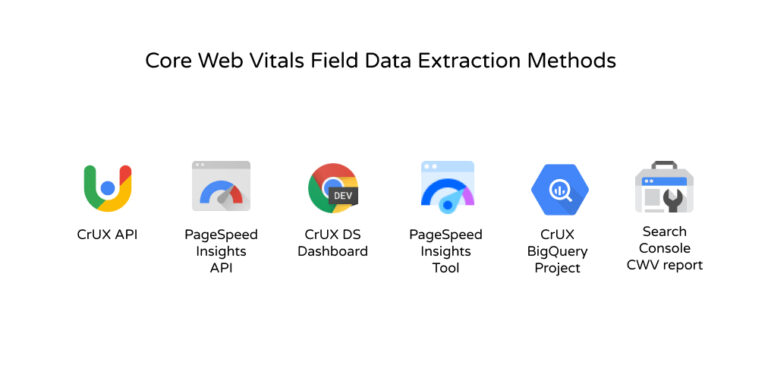
Field tools to measure Core Web Vitals
Chrome User Experience Report(CrUX) is a dataset that collects real-user measurement data (anonymously) for each Core Web Vital. This data allows website owners to quickly assess performance without needing to install analytics tools on their web pages themselves. It also serves as a data source for various tools such as PageSpeed Insights and the Core Web Vitals reporting in Search Console
- Chrome User Experience Report - LCP, INP, CLS
- PageSpeed Insights - LCP, INP, CLS
- Search Console (Core Web Vitals report) - LCP, INP, CLS
Measure Core Web Vitals in JavaScript
Another easy way to measure Core Web Vitals is to use the web-vitals JavaScript Library, which is a small wrapper that uses the API for each metric in the same way as all the Google tools mentioned earlier
With the web-vitals library, measuring each metric can be done by calling a single function (see documentation and details about usage and API).
We can measure each Core Web Vital without writing any code by using the Web Vitals Chrome Extension. This extension uses the web-vitals library and displays results to users while they browse the web.
- web-vitals - LCP, INP, CLS
- Web Vitals Extension - LCP, INP, CLS

Lab tools to measure Core Web Vitals
Although all Core Web Vitals are primarily metrics measured in real-world environments, many can also be measured in simulated environments.
Lab testing is the best way to test the performance of various features during development, before releasing them to real users. It’s also the best method for detecting performance issues before they occur in real-world situations.
The following tools can be used to measure Core Web Vitals in a simulated environment:
- Chrome DevTools - LCP, TBT, CLS
- Lighthouse - LCP, TBT, CLS
Tools like Lighthouse that load web pages in a simulated environment without real users cannot measure INP because there is no user input. However, the Total Blocking Time (TBT) metric can be measured in a simulated environment and serves as a proxy for INP. Performance improvements that enhance TBT in a simulated environment may help improve INP in real-world conditions.
Although measuring in a simulated environment is important, it cannot replace measuring in a real environment. Website performance can vary greatly depending on the user’s device capabilities, network conditions, other processes that may be running on the device, and how the user interacts with the web page.
In fact, the scores of each Core Web Vitals metric can be affected by user interactions. Only field measurements can provide an accurate and precise overview.
Summary of Core Web Vitals
Core Web Vitals are a set of key metrics used by Google to evaluate user experience on websites. They include:
- Largest Contentful Paint (LCP): Measures the loading speed of the main content
- Interaction to Next Paint (INP): Measures the responsiveness to user interactions
- Cumulative Layout Shift (CLS): Measures the visual stability of the web page layout
Core Web Vitals can be measured in both real-world and simulated environments using various tools such as:
- Real-world environment tools: Chrome User Experience Report, PageSpeed Insights, Search Console
- Simulated environment tools: Chrome DevTools, Lighthouse
Improving Core Web Vitals is important because it:
- Enhances user experience
- Affects Google search result rankings
- Increases conversion rates and user satisfaction
Developing websites with Core Web Vitals in mind from the start saves time and resources in the long run, compared to making improvements later.
In the next article, we will discuss the Largest Contentful Paint (LCP) metric